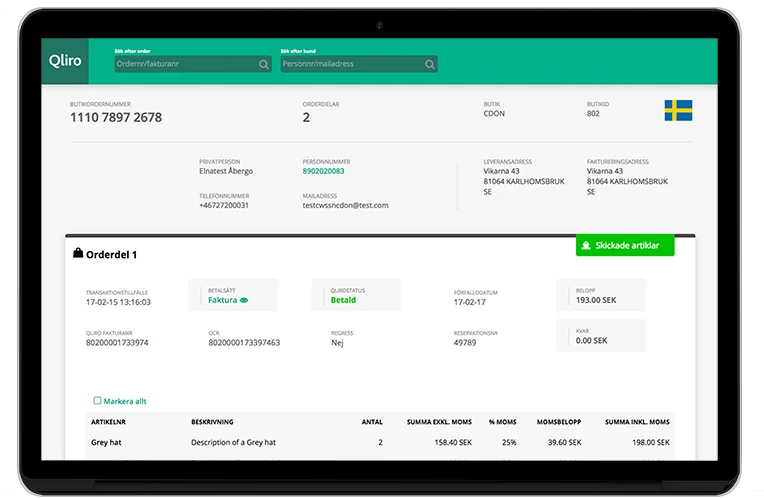
Backoffice tool
Qliro Financial Services
Overview: A backoffice system for many different retailers to track orders from their e-commerce sites. User groups are customer service agents and various finance roles.
My role: Sole designer on this project, involving many external stakeholders.
Responsibilities: User research & interviews, prototyping, interaction design, post-development functionality testing.
The challenge
This system was outdated and required a complete overhaul with new features added. The main task for this tool is for customer service agents to troubleshoot issues with payments. The new requirements were to allow changes to orders such as editing the number of products, shipping orders or returning items and adding fees.
Discovery
In this phase, I widened the approach to validate requirements and ideate on data structure. I used a variety of techniques including interviews, card sorting, workshops with designers loaned from other teams, and usability testing on wireframes.
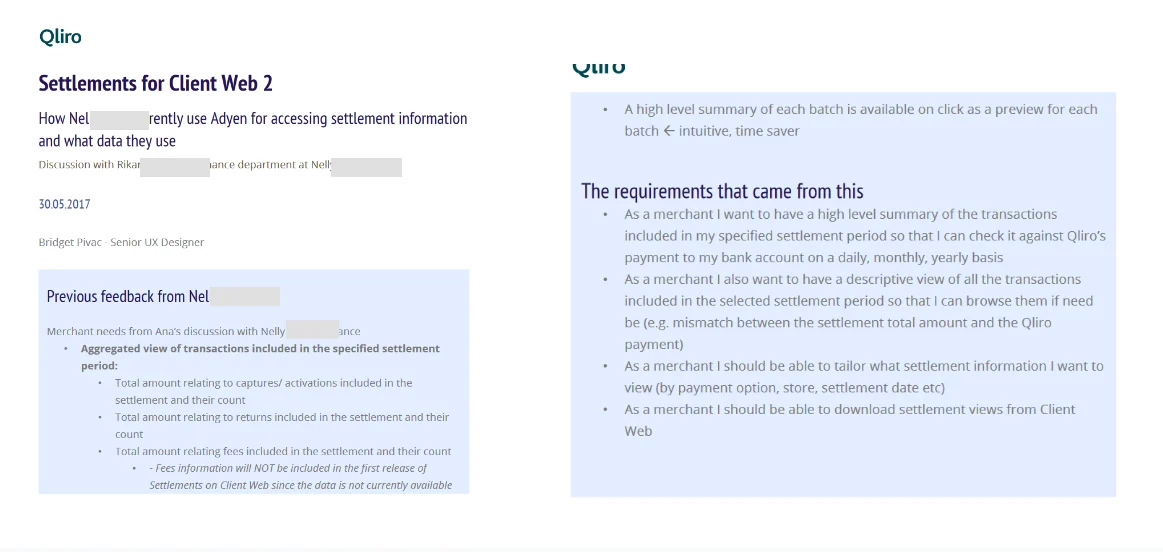
The first step was to interview the various user groups to understand their current use of the tool and the new requirements. The goal was to confirm the previous requirement documents matched their current needs.
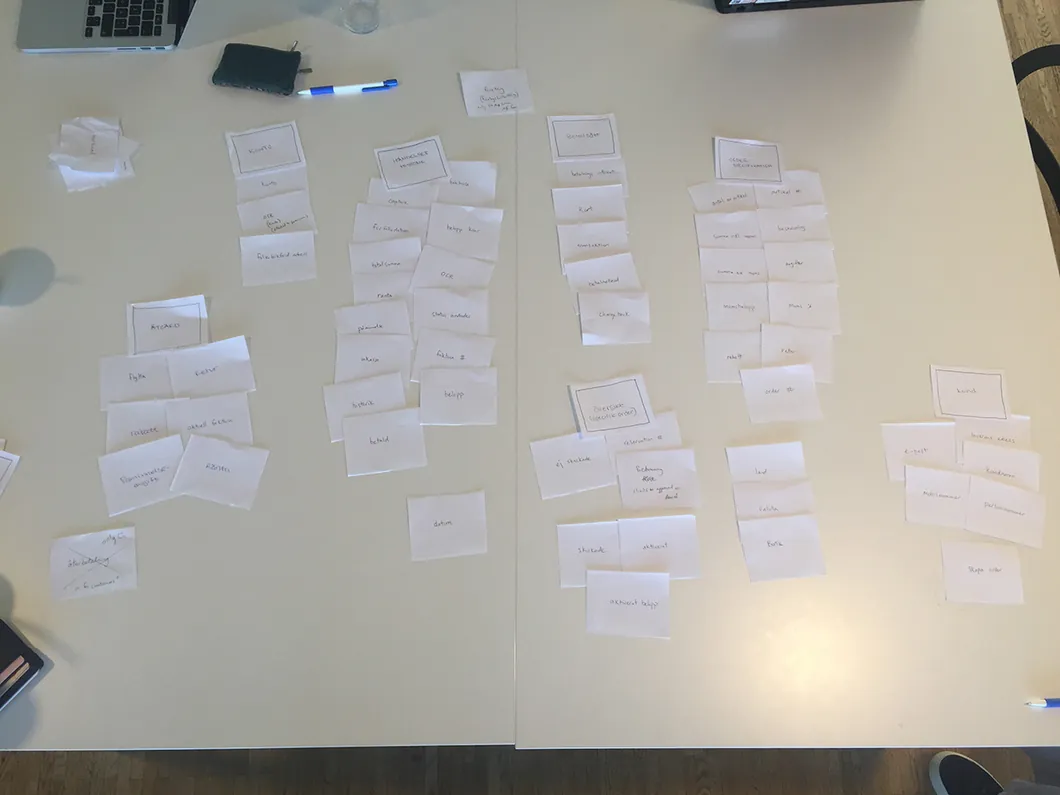 Card sorting exercise with customer service reps, aiming to understand how to group the data according to their needs and increase speed of task completion.
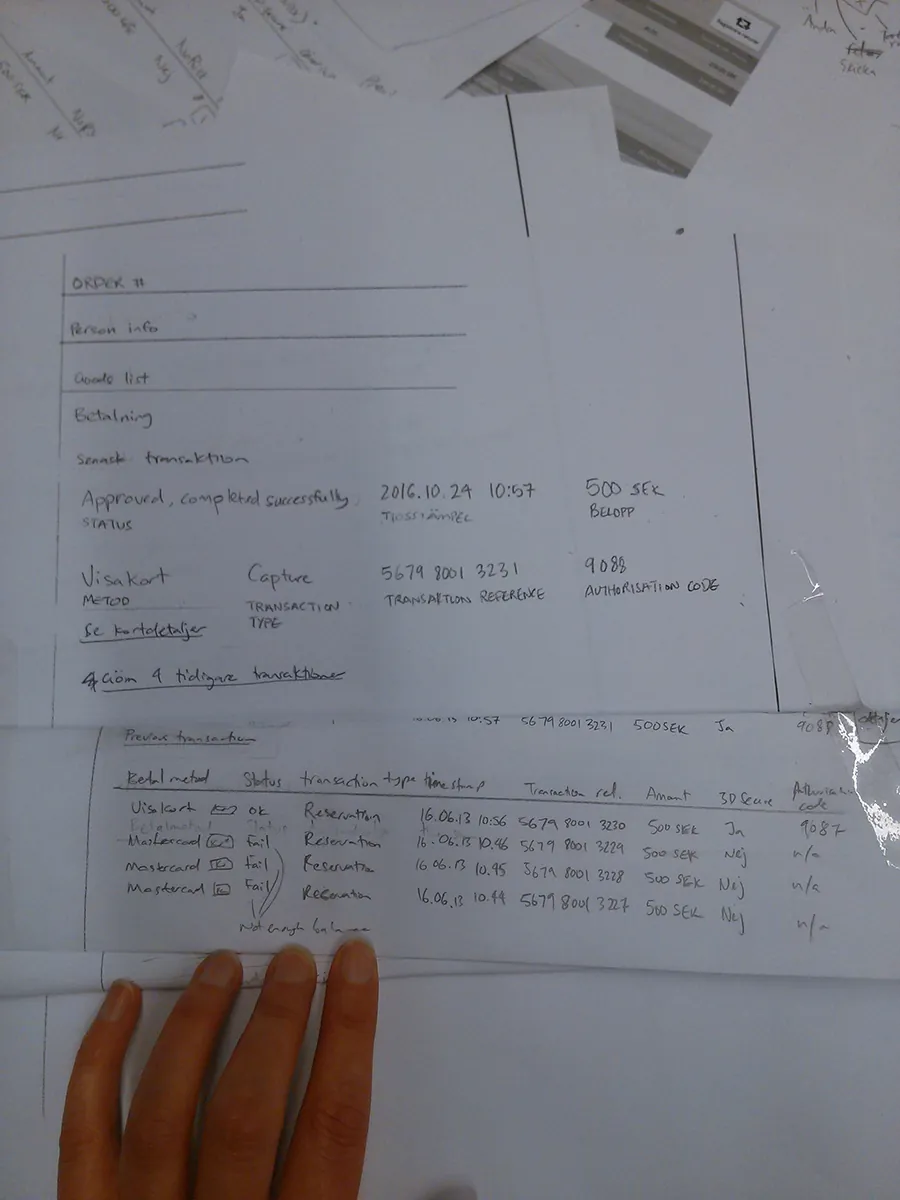 Rapid ideation through photocopies of order information.
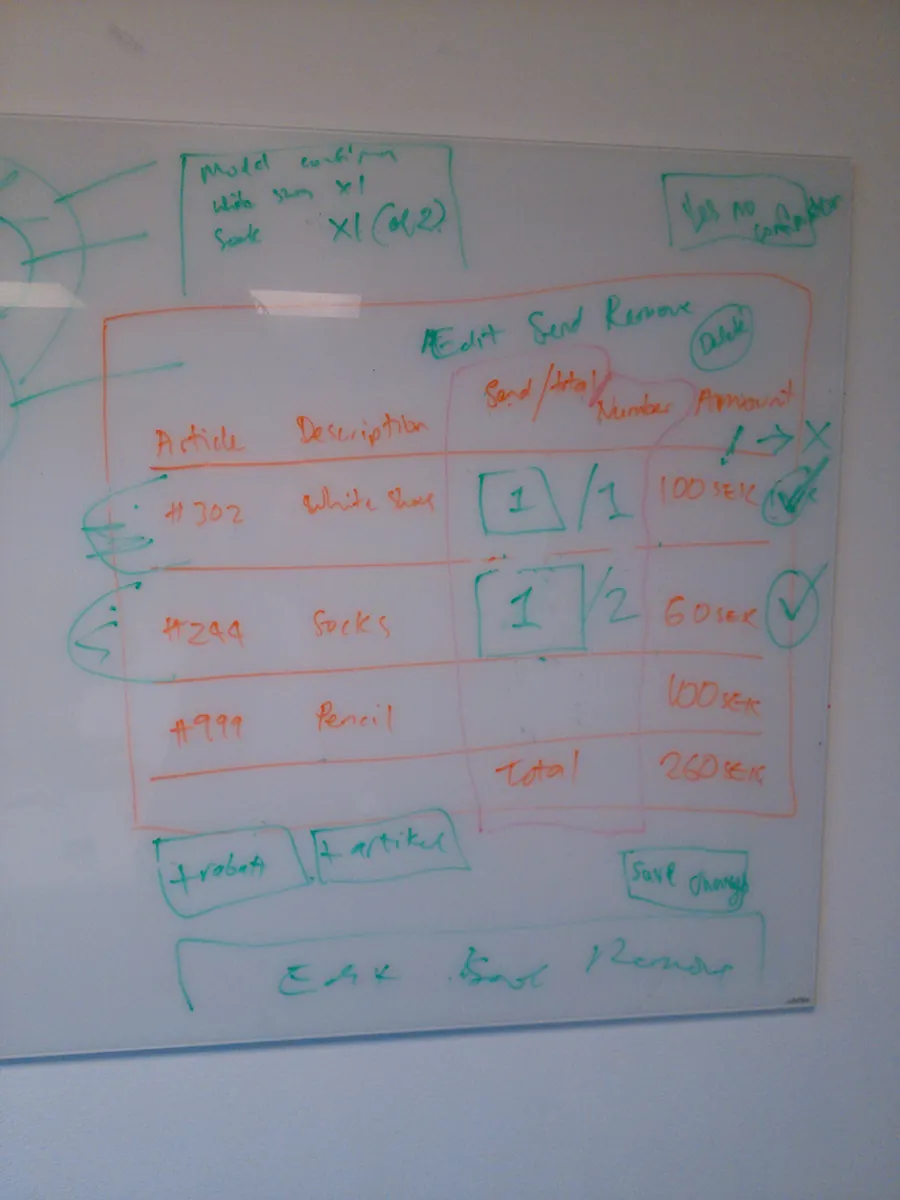 Workshop with other designers to problem-solve how actions affect orders.
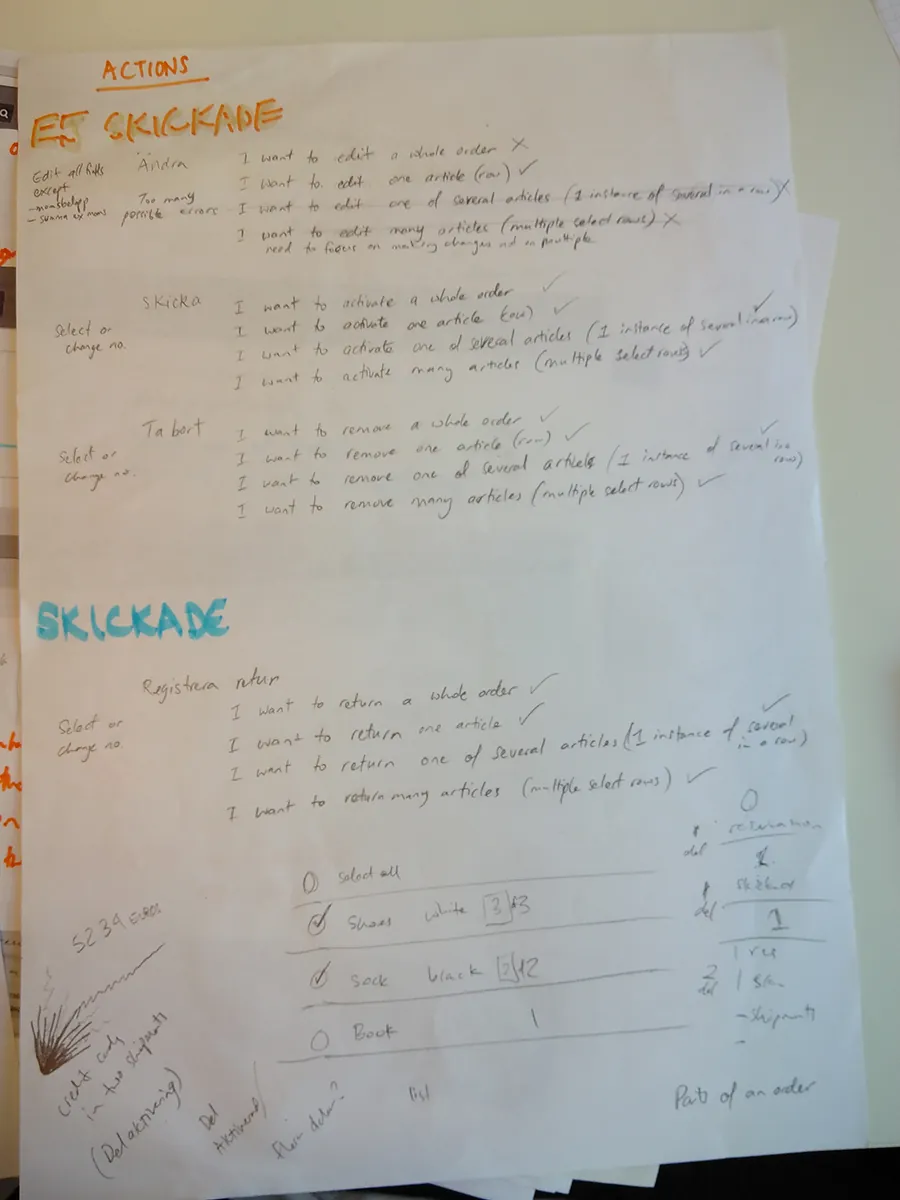 Scoping different use cases for different actions.
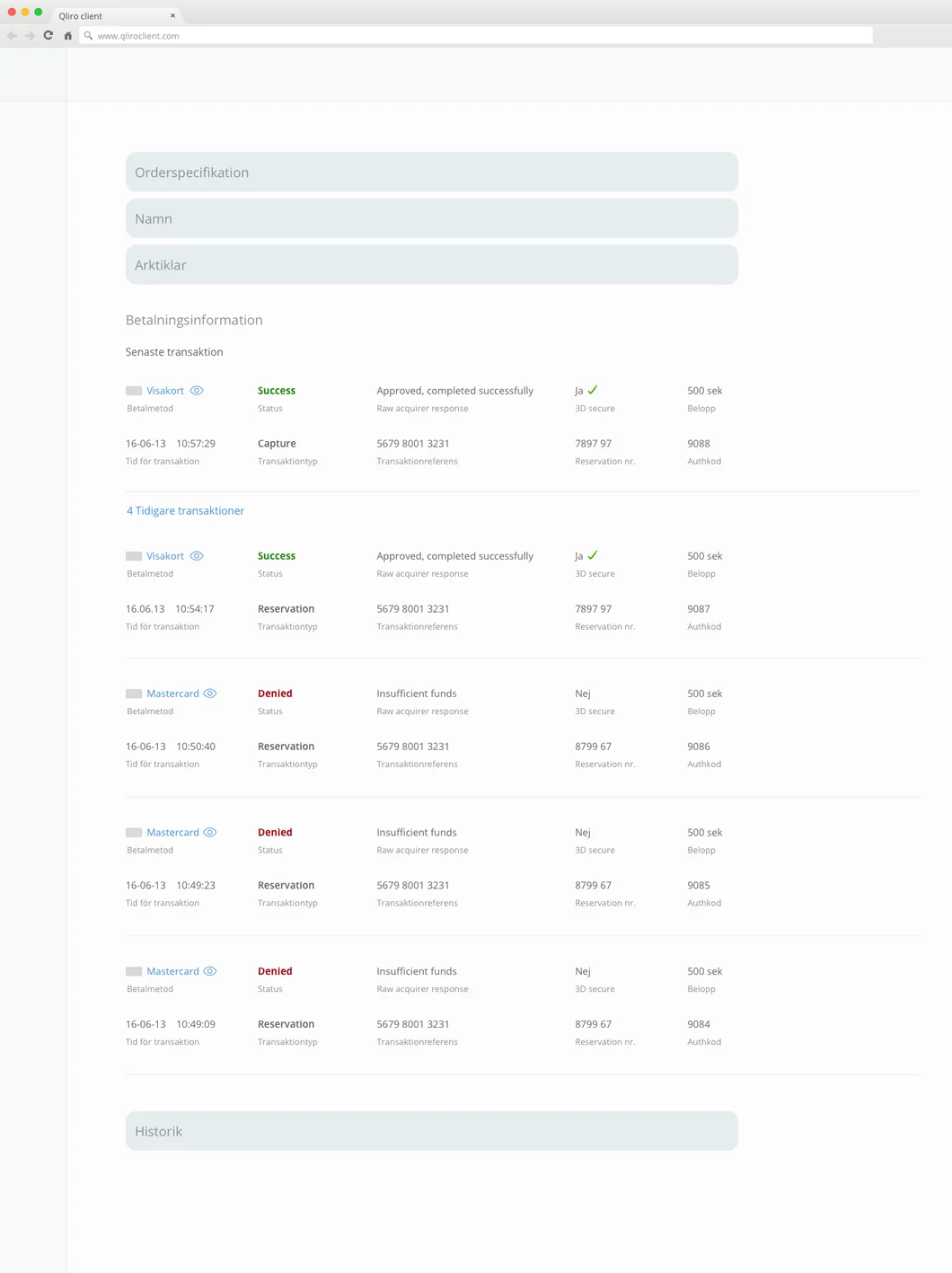 Wireframes of different transaction types in different states, checking that all data types were understandable.
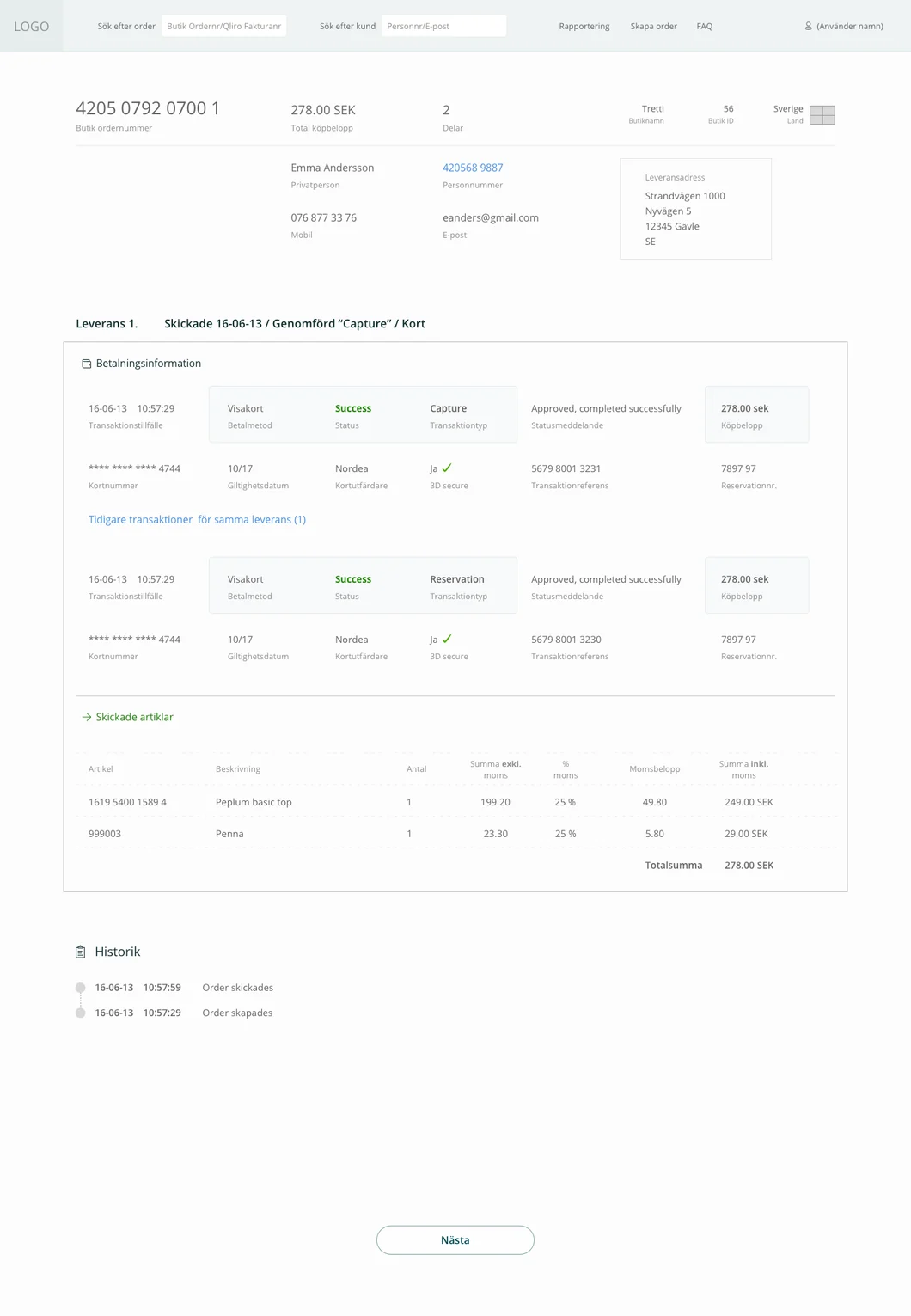 Later wireframes including customer and product information.
Solution
Prototype with final UI, showing a user navigating through an order and choosing different actions. Users can select multiple items and make many edits to an order.
Iteration
The design needed to be iterated on for two reasons:
- After usability testing I realised that the mouseover area was too small and annoying for users to slide the cursor to that position.
- More requirements came through on updating order data, which needed more screen space.
Updated and in production!
Results
Received positive feedback from customer service agents and their managers that concluding tasks for customers was faster and easier.
Takeaway
It is possible to amalgamate a variety of user needs and produce features that work for all, as long as you get to the root of their problems through interviews and follow up with usability testing.
Highlight
Working for a user group (customer service agents) that is not often catered to. They were so happy to be involved and contribute to creating a better workflow.